
InventoryPath Price Scheduler

Scheduled sales for Shopify merchants

Schedule your sale before the rush.

Prepare sale prices, review every selected variant and choose the start and end. Price Scheduler runs approved changes and restores eligible prices, with conflicts kept visible for review.

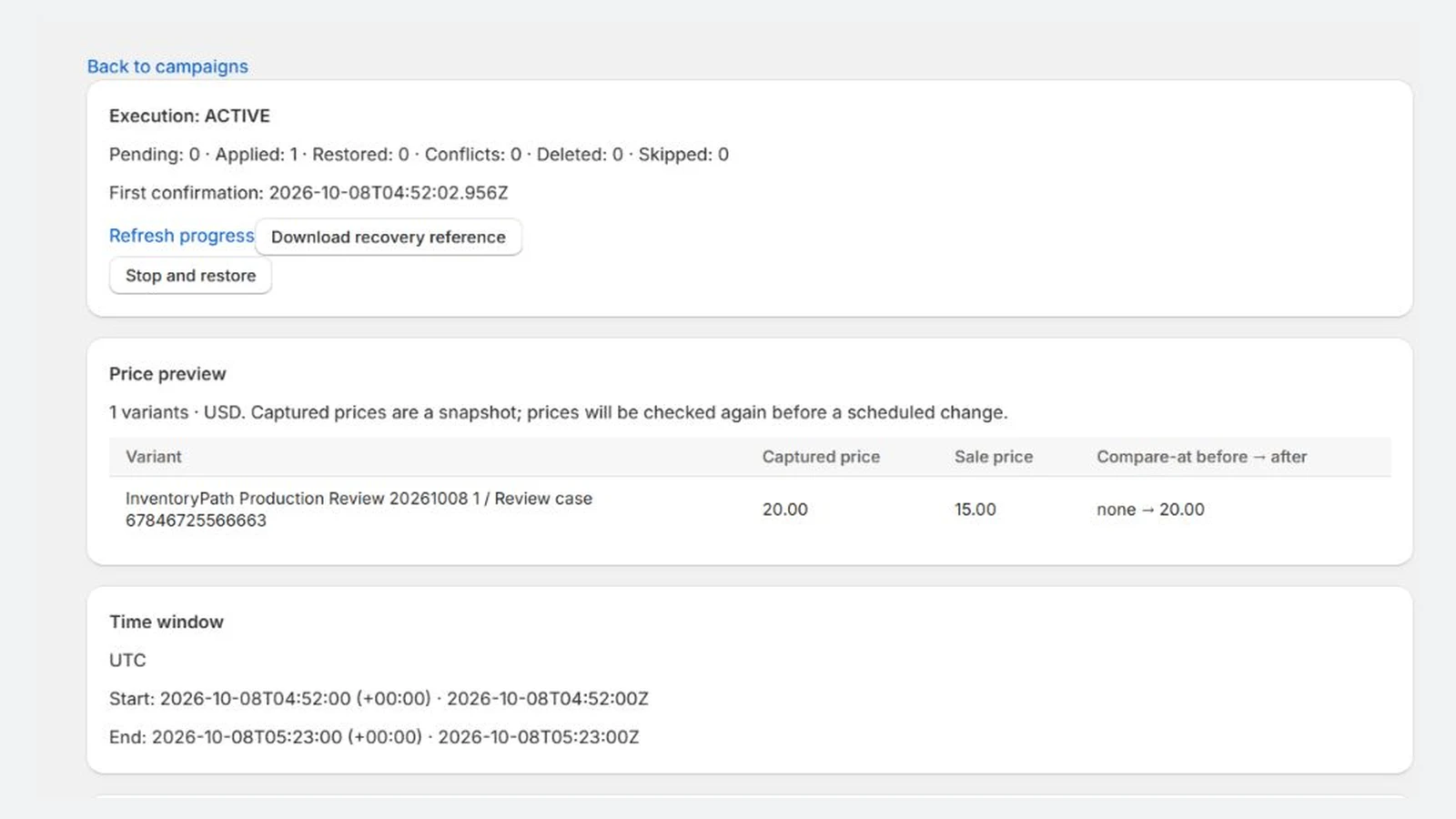
InventoryPath Price Scheduler: variant price preview, shown with synthetic demonstration data.
Review original and target prices before approving the campaign. Actual app screen with synthetic demonstration data.

A clearer way to get the job done

Check prices before the sale starts

Select variants or a collection, prepare exact targets or reductions, and review the original and target values.

Approve the plan ahead of time

Set the dates and time zone. Approved selections stay frozen while the server runs the scheduled campaign.

See what restored and what needs review

Eligible changes restore where live prices still match the app's applied values. Outside edits and uncertain requests remain visible for review.

How it works

  1. Step 1

    Prepare the sale

    Choose the variants and prepare the target prices.

  2. Step 2

    Review and approve

    Inspect the price pairs, dates and restoration limits before approval.

  3. Step 3

    Monitor the result

    Review applied, restored, skipped and conflicting rows from the app.

Read the full setup guide

Choose your plan

Starter

USD 6.99 per month

14-day trial

  • 10 armed, active or unresolved campaigns
  • Up to 500 variants per campaign
  • 10,000 variant starts per Shopify billing period
Install from Shopify

No automatic overage charges. Shopify's confirmation screen controls actual pricing, trial eligibility and taxes. Review the full product scope and allowance rules.

Before you get started

Can I end a sale early?

Stop and restore cancels an unstarted sale or ends a started sale early. Only eligible confirmed changes are restored; merchant-edited rows and uncertain requests need review.

Do all prices change at the same instant?

No. Changes run in stages. The app works in the default shop currency; fixed Markets or B2B prices and checkout discounts can behave differently. Restore active sales before uninstalling, while Shopify product access remains available.

The in-app guide works without an email subscription. Optional setup tips require store-owner consent and inbox verification. Setup and email preferences · Privacy details

Inside InventoryPath Price Scheduler

Actual app screens with synthetic demonstration data. Sample amounts are not merchant results or guaranteed outcomes. Select an image to view it at full size.

InventoryPath Price Scheduler: variant price preview, shown with synthetic demonstration data.
Variant price preview · Synthetic demonstration
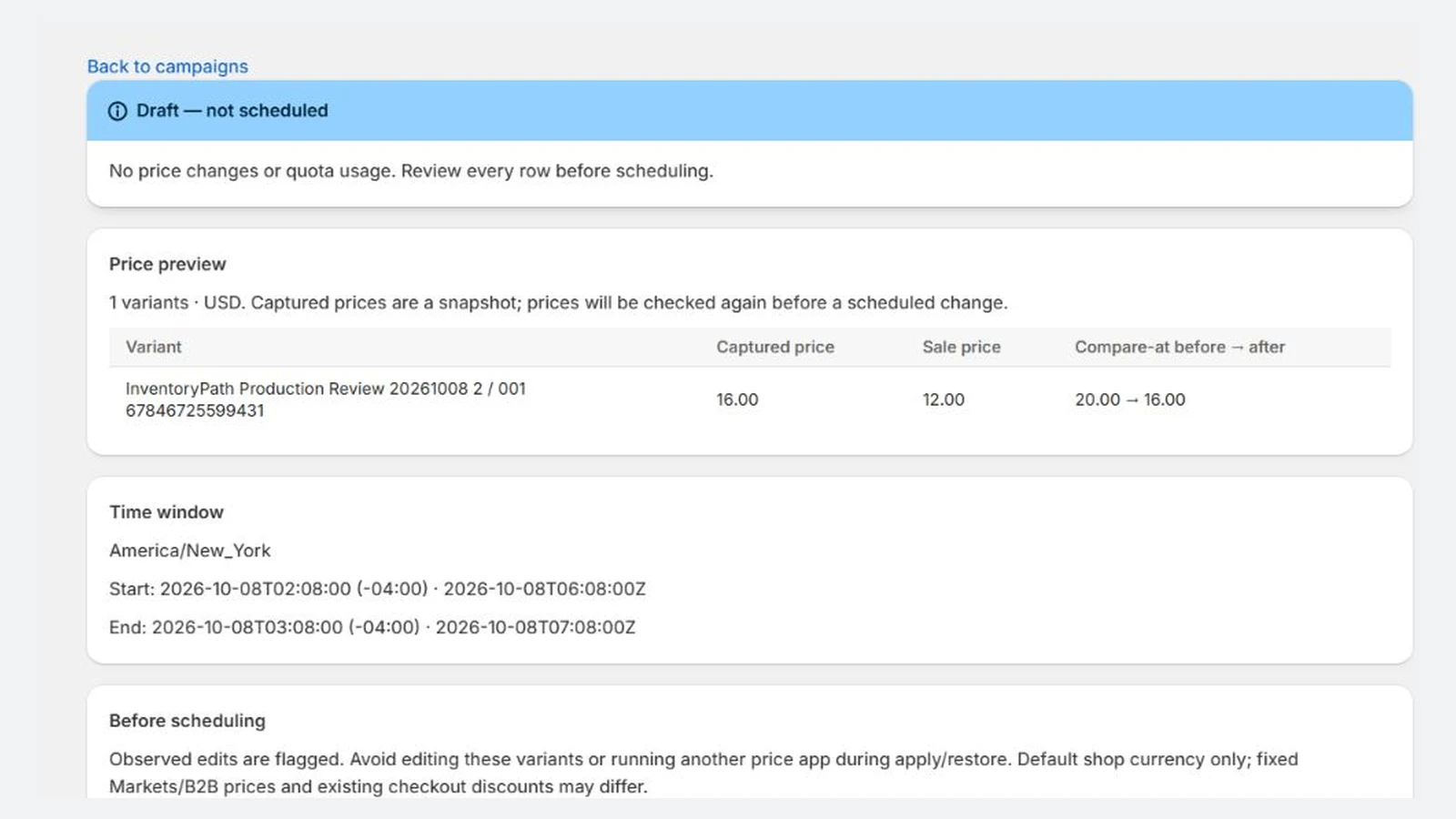
InventoryPath Price Scheduler: frozen campaign preview, shown with synthetic demonstration data.
Frozen campaign preview · Synthetic demonstration
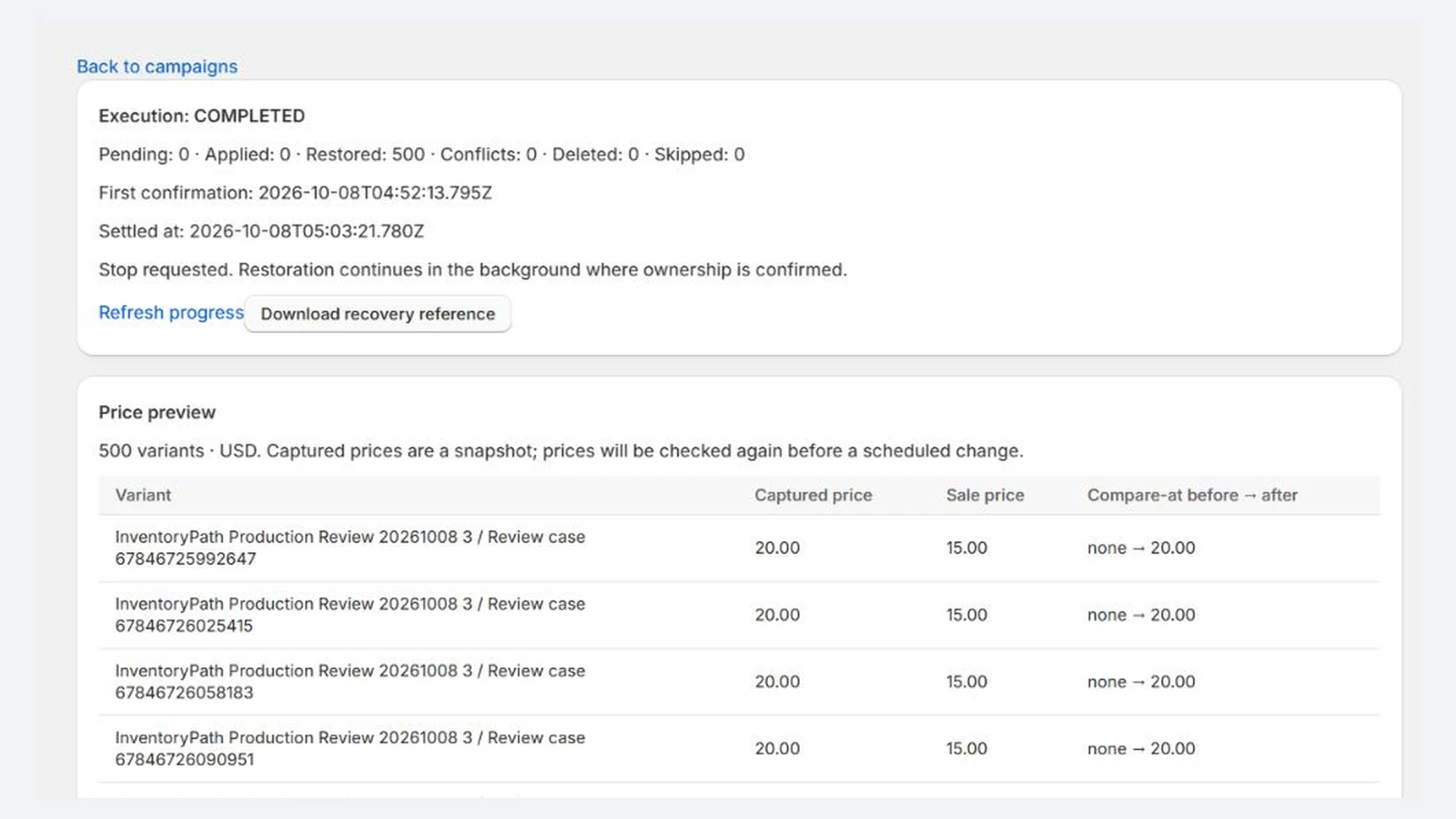
InventoryPath Price Scheduler: eligible price restoration results, shown with synthetic demonstration data.
Eligible price restoration results · Synthetic demonstration
Detailed product scope and limits

Detailed product information

Prepare sale prices in advance, review each variant, and schedule a start and an end.

Prepare and review your sale

Choose variants or a collection. Upload or paste exact targets using the CSV template, or calculate percentage or fixed reductions. Review every original and target price before approving the campaign.

Choose whether compare-at prices remain unchanged, use the captured original price, receive an explicit value, or are cleared. Approved selections are frozen so later collection changes do not change the campaign’s variant selection.

Schedule changes and eligible restoration

The server checks current prices before starting and verifies each successful change. At the end, or after Stop and restore, it restores confirmed changes where live prices still match the app’s applied values.

Conflicts and uncertain requests stay visible for review. Where only known conflicts remain, inspect fresh live prices and explicitly accept them without the app overwriting prices. Unknown requests cannot be closed through that screen.

Changes run in stages rather than simultaneously across the catalog. Avoid overlapping price editors and other price apps. Shopify does not provide an atomic compare-and-swap for these fields, so an outside edit during a request can still race with a scheduled change.

The app works in the default shop currency. Fixed Markets or B2B prices and checkout discounts can behave differently. Restore active sales before uninstalling; automatic restoration is unavailable after Shopify revokes product access.

Starter plan

Starter is USD 6.99 per month, with a 14-day trial and no usage charges. Shopify presents the applicable subscription pricing, trial and approval terms before confirmation. Eligible development test subscriptions are free.

The app supports ten armed, active or unresolved campaigns, up to 500 variants per campaign and 10,000 variant starts per Shopify billing period. Drafts, read-back and eligible restoration do not consume additional starts. These limits are not a guarantee of exact execution timing.

Get started in the app

The in-app setup guide walks you through connecting your store, preparing a small sale, reviewing the exact prices and checking its result. Preparing a future sale counts as progress; you do not need to change live prices to complete setup. You can use the full app without subscribing to email tips.

The store owner can choose a merchant help inbox, agree to optional setup tips and verify that inbox with a one-time code. Staff, customers and addresses from your Shopify store are not automatically subscribed. Tips come from Inventory App at [email protected] through Brevo, with up to four help messages over fourteen days and fewer when your progress makes them unnecessary.

Use Help and setup tips in Shopify or the app-specific stop control in a help email to stop the sequence. Operational campaign notices and billing remain separate. Read the setup-email guide for timing and stop controls, and the privacy notice for delivery, open/click processing and retention.

Resources and support

InventoryPath is a brand of AvanSaber Inc., which operates Price Scheduler. Contact [email protected].

Get the next sale ready before it gets busy.

Install from Shopify

InventoryPath is a brand of AvanSaber Inc. Product questions: [email protected].