Detailed product information
Review wholesale purchase orders before creating Shopify drafts.
Turn a wholesale CSV purchase order into a customer-linked Shopify draft after reviewing the buyer, exact SKUs, case quantities, PO prices, shipping address and current Shopify draft total. You approve creation; the app does not send an invoice or collect payment.
Contact [email protected] for product questions.
Review first, then create the draft
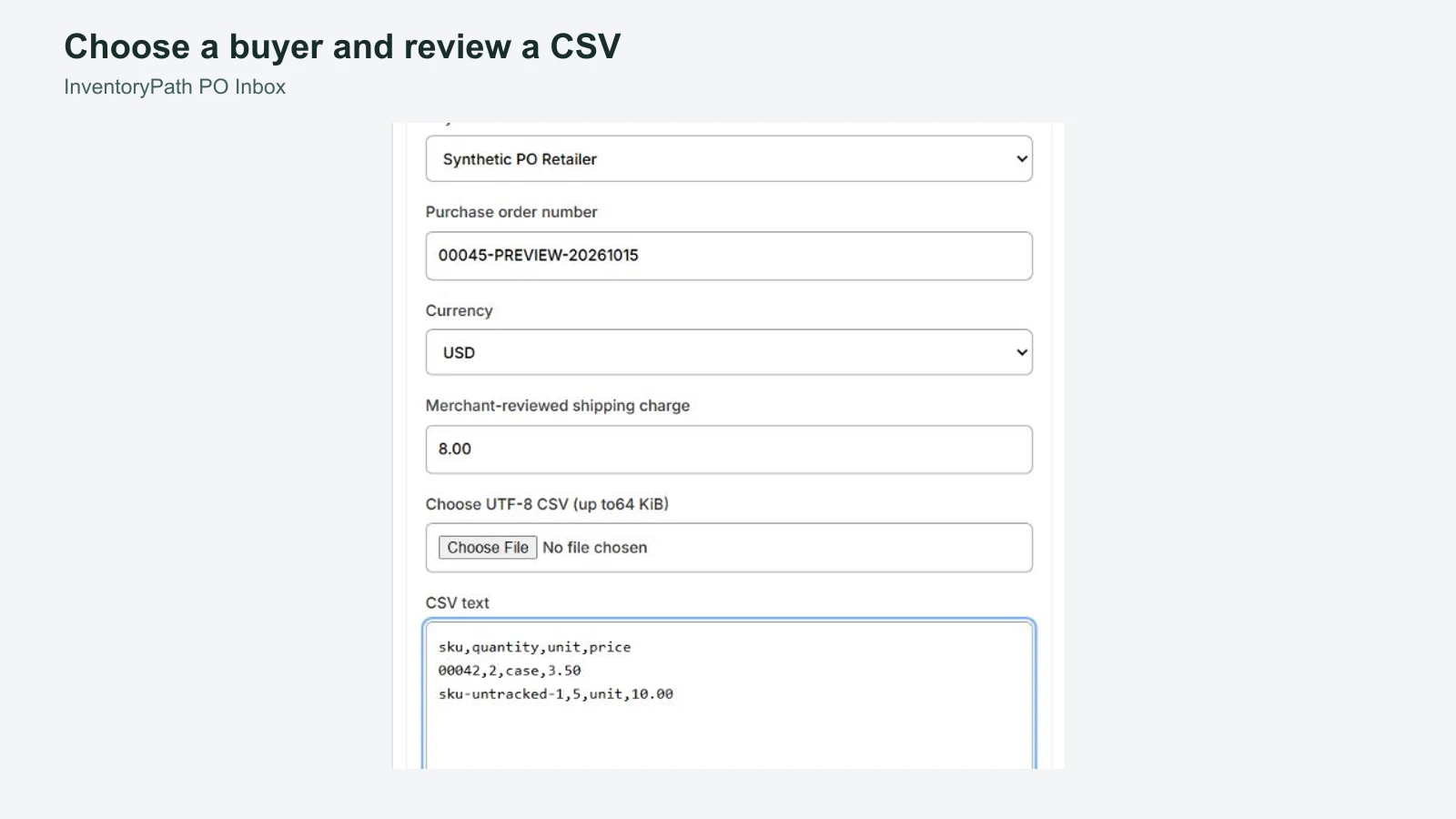
Load buyer names and optional SKU mappings, and explicitly save units per case. Upload or paste the CSV, select the buyer, and enter the PO reference, matching shop currency and shipping charge.
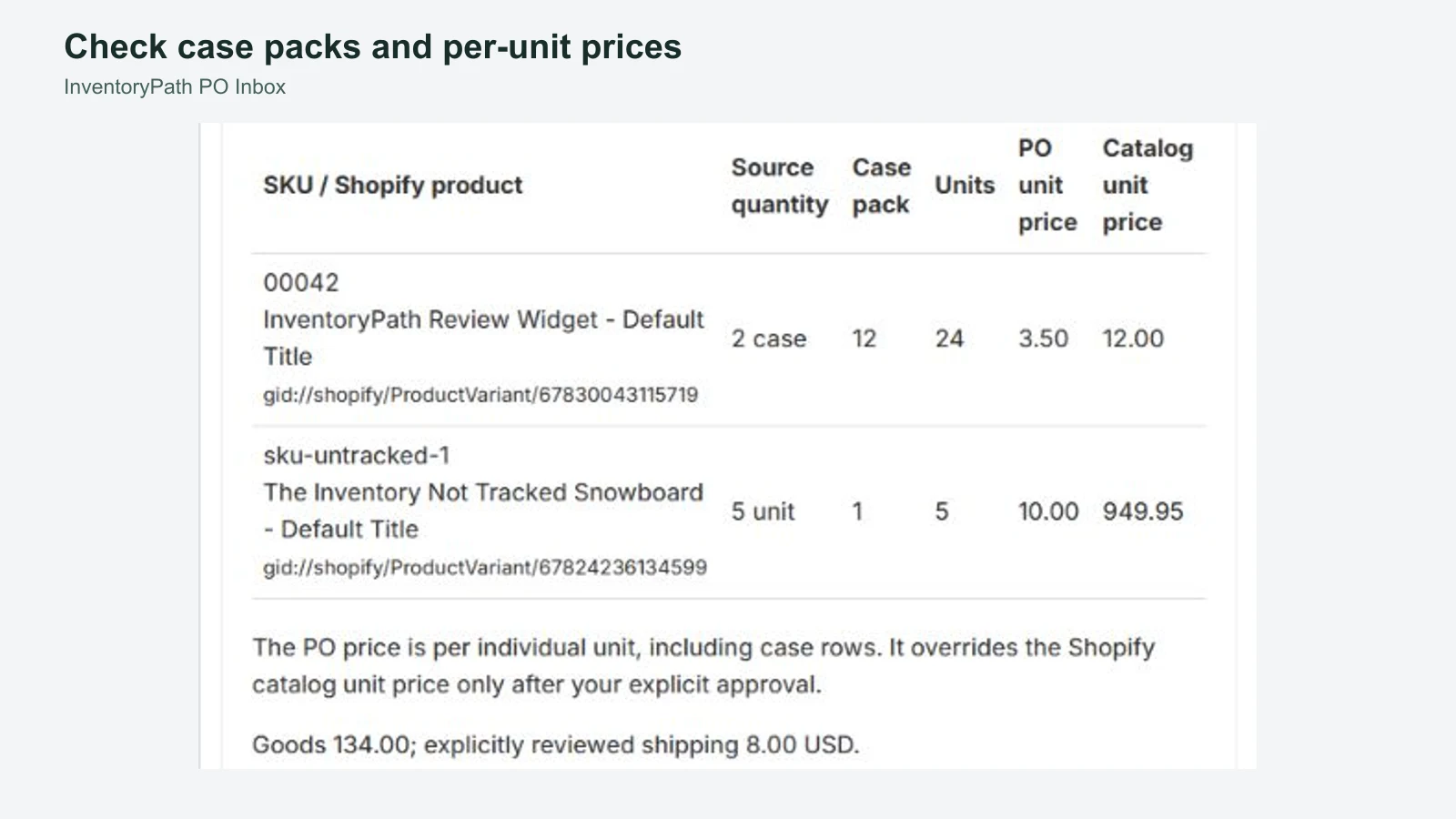
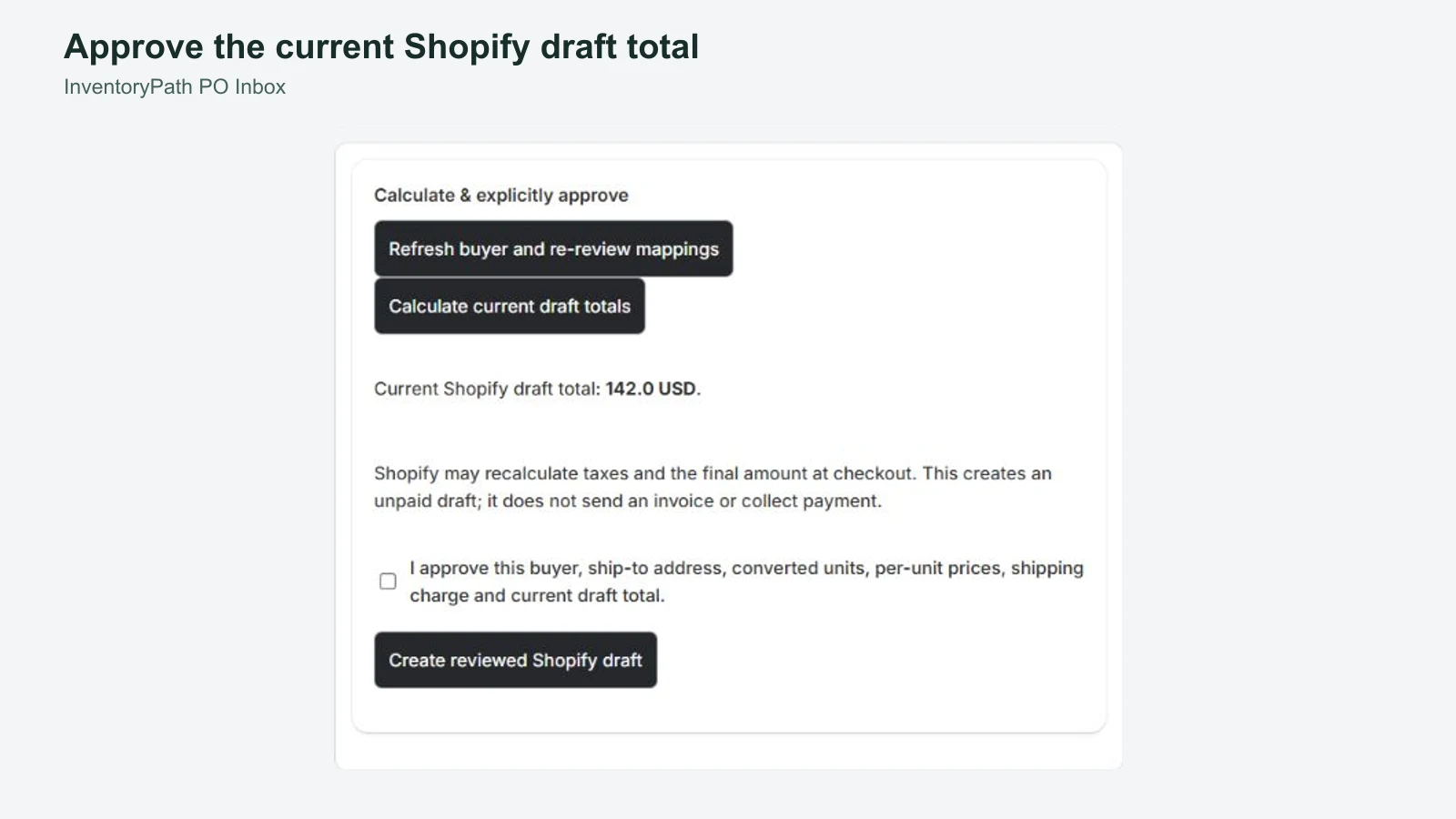
Review converted units and PO-versus-catalog prices, calculate with Shopify, then explicitly approve the current draft. Inspect the resulting native draft and continue invoicing, payment and fulfillment in Shopify. Download a reviewed CSV worksheet for manual handling when needed.
Supported CSV workflow
Use UTF-8 CSV with exactly sku,quantity,unit,price. Each PO can contain up to 100 lines and 64 KiB. Quantity must be a positive integer, unit must be unit or case, and price is per individual unit, including case rows.
The app supports up to 100 imported buyers and 25,000 indexed SKU-bearing variants. SKUs match exactly and case-sensitively. Owners explicitly confirm units per case for each store and variant, including one-unit cases. A complete customer default shipping address is required.
The PO currency must match the shop currency and be USD, CAD, EUR, GBP, JPY or AUD. There is no foreign-exchange conversion. Shopify may recalculate tax and the final amount at checkout.
This customer-linked draft workflow does not require Shopify Plus and does not replace native Shopify B2B company purchasing.
What this release covers
This release handles the CSV review and merchant-approved draft workflow. PDF, XLSX and image extraction, AI or OCR, email inbox intake, buyer-specific SKU aliases or case packs, storefront ordering portals and native company B2B purchasing are outside this release.
The app does not automatically send messages or invoices, collect payment, place supplier orders, guarantee inventory reservation or fulfill orders.
Uncertain creation outcomes
Creation attempts are recorded durably. If a response is uncertain, inspect Shopify before manual handling. The app holds that attempt and its allowance instead of blindly retrying. A known created draft with mismatched or incomplete readback is flagged for review and cannot be recreated through the app.
These safeguards do not guarantee that every network failure has a known native result. Do not change the PO reference to bypass a hold or assume that a timeout means no draft exists.
Wholesale plan
USD 149 per month, with a 14-day trial, billed through Shopify. The plan includes 200 recorded draft creations and 1,000 accepted intake or revision attempts per applicable Shopify billing or trial window.
Uncertain creations reserve an allowance slot. A known created draft needing review counts as a creation. New creation stops when the allowance is full, with no automatic overage charges.
Shopify’s confirmation screen controls actual charges, trial eligibility and taxes. Development-store tests are free. There is one plan, with no annual tier or external checkout.
Optional merchant setup tips
Optional setup tips are available. The full guide and core app work without email enrollment. Only the authenticated store owner can separately opt in and verify an eligible individual inbox.
Setup and optional tips inside the Shopify app provides a guide based on your store’s recorded progress. Staff can use it without subscribing. The owner can separately request up to four tips over the original fourteen-day window, subject to shared daily and weekly limits. Contacts and operational recipients are not imported into marketing automatically.
Tips come from Inventory App at [email protected] through Zoho Campaigns. Zoho CPaaS/ZeptoMail delivers requested setup-tip verification codes. Brevo is retained only where needed for previous withdrawals, late events and historical message/resource cleanup; it is not selected to send new tips for this app. Migration does not reenroll withdrawn or completed sequences. Use an individual inbox without a + tag; the app explains eligible inboxes before requesting a code.
App-specific and stop-all preferences remain available. Read the setup-tip guide and processing and retention details. The full guide and core app work without marketing consent. Product support remains [email protected].
Resources and support
InventoryPath is a brand of AvanSaber Inc., which operates PO Inbox. Contact [email protected].