
Detailed product information
Check 3PL invoices against your rates and shipment evidence.
Review structured warehouse invoices against confirmed contract rules, warehouse activity and recent Shopify fulfillment references. See potential differences, explained charges and the parts of the invoice that could not be assessed before you follow up with your provider.
Contact [email protected] for product questions.
Confirm rates, map files and review coverage
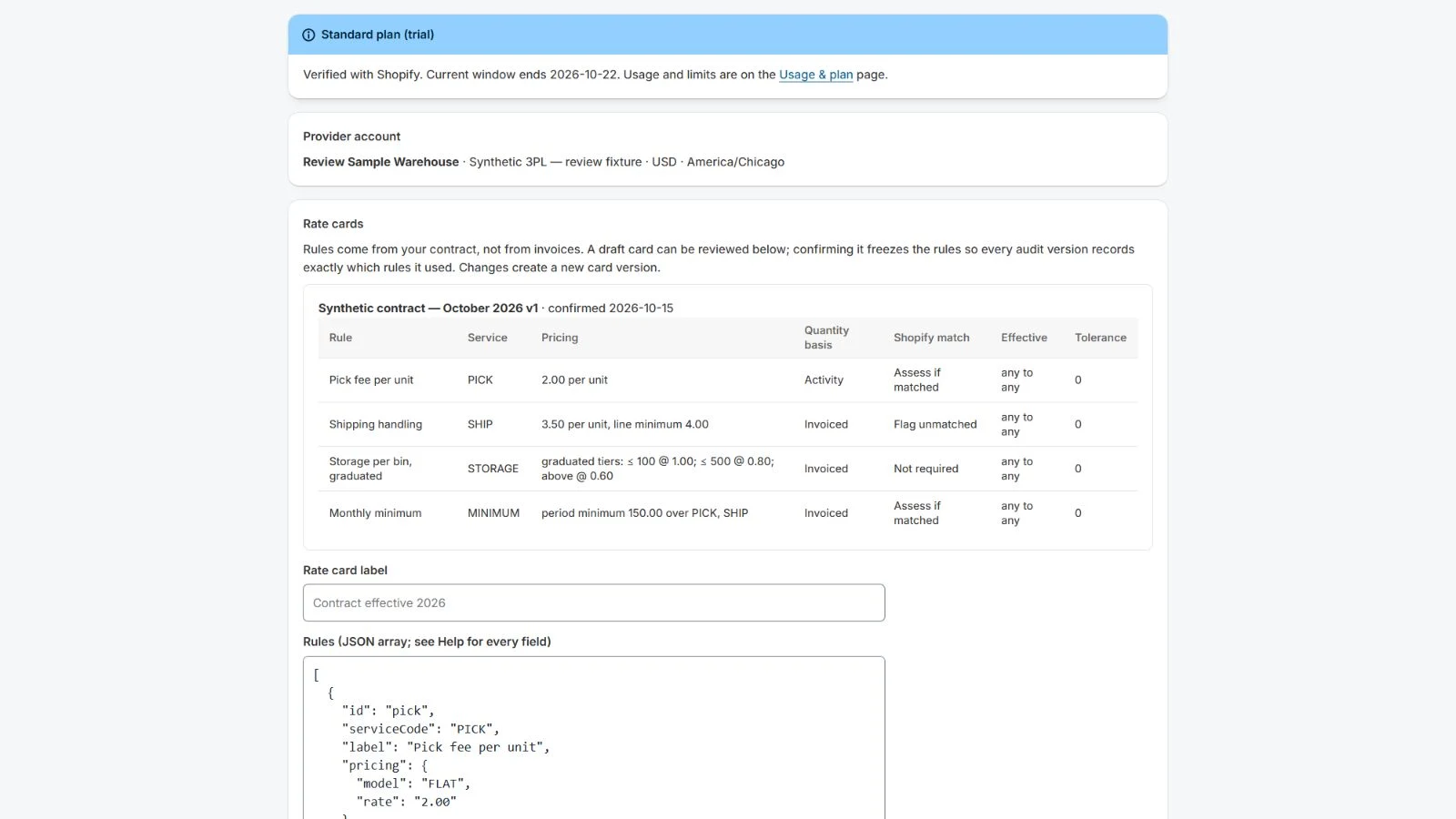
Create one provider account, enter the contract’s rate rules and confirm the rendered table. Upload an invoice and optional warehouse activity as CSV or XLSX, confirm every file’s column mapping, and run the audit.
Rules support flat rates, graduated tiers, whole-volume tiers, per-line floors and period minimums, with explicit effective dates, rounding and tolerances. Contract rules currently use a JSON editor with a rendered confirmation table.
Warehouse activity and Shopify references are separate evidence. Missing evidence produces not-assessed results. Shopify order and fulfillment counts do not establish billable pick events, storage quantities, weight or carrier costs.
Review differences and keep final versions
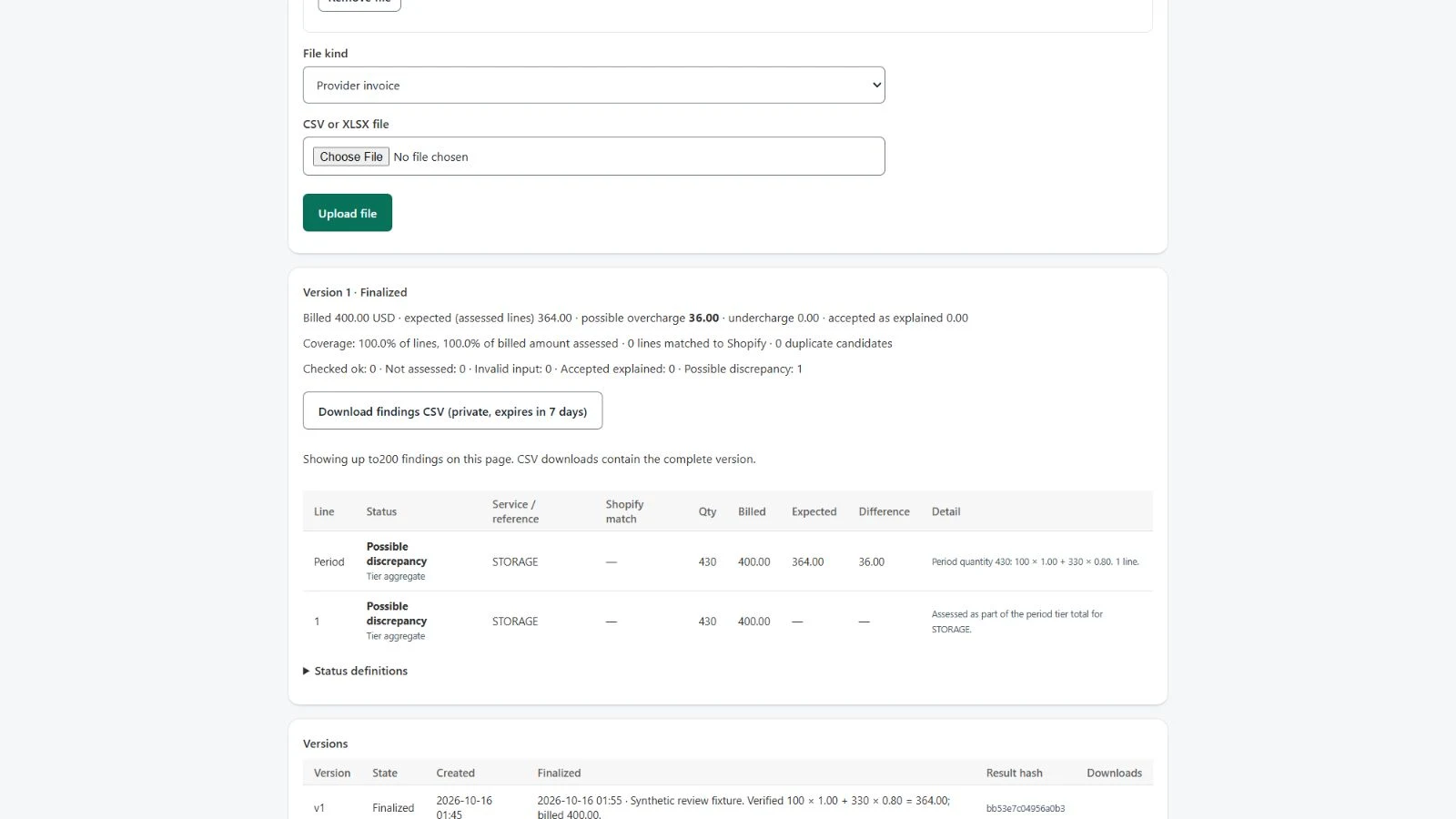
Match recent Shopify references using tracking, fulfillment identifiers or an explicit order and package sequence. Ambiguous matches stay visible. Duplicate shipment references may be legitimate and should be reviewed with the provider.
Review candidate differences and accept documented explanations. Accepting a difference removes it from the potential-difference total immediately. Finalize a version after review; final reports are immutable, and later changes create an amendment that supersedes the older version.
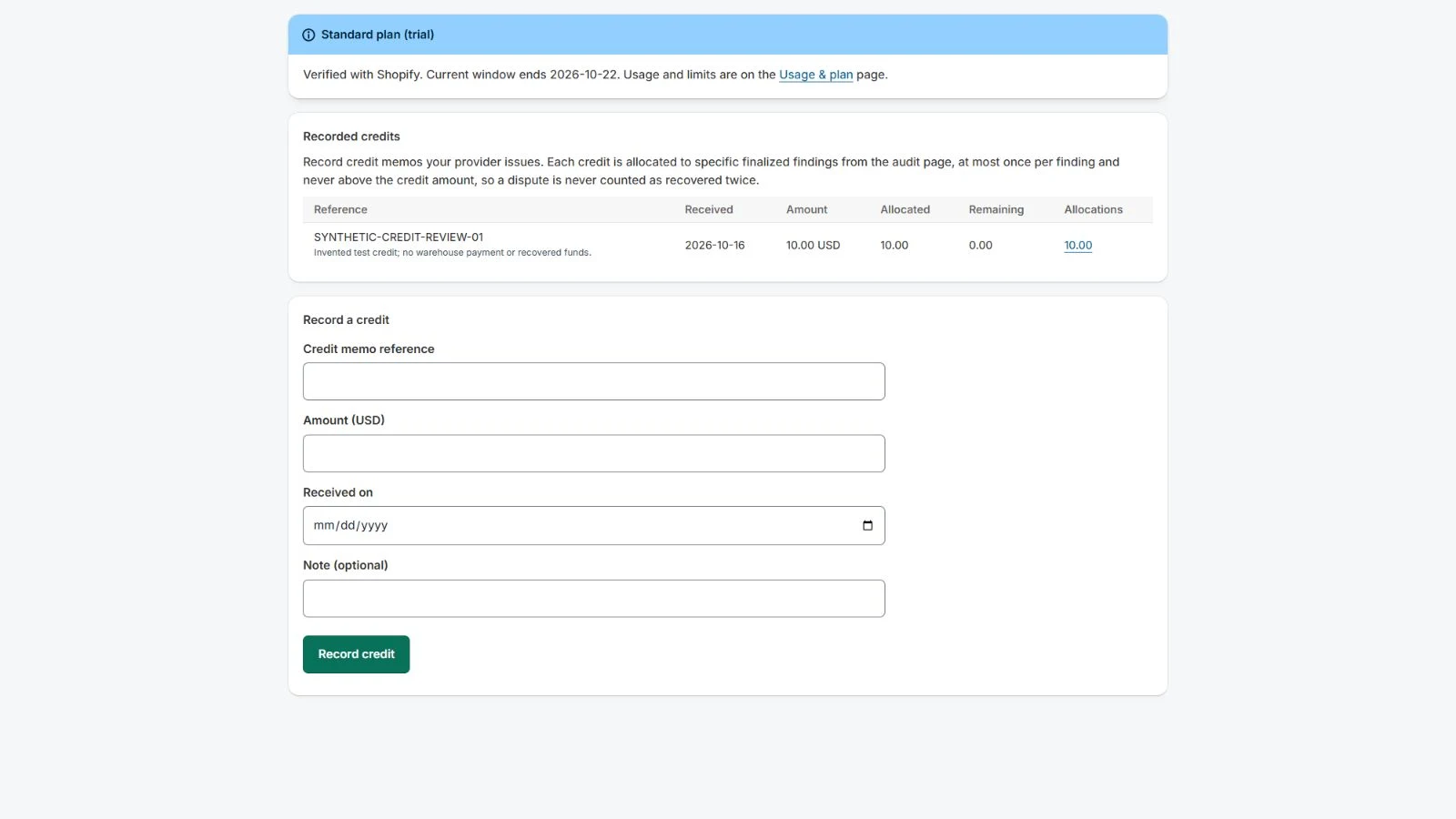
Download the complete findings CSV. Record and allocate provider credits you enter yourself, allocating each credit once. Potential differences are not recovered funds, actual credits or proof of wrongdoing.
Files and current limits
Use CSV or XLSX, with only the first worksheet parsed. Each file can be up to 20 MiB, with up to ten files per audit. Combined limits per audit are 20,000 invoice rows and 100,000 activity rows. There can be up to 100 rate rules, 100 columns and 16 KiB per cell, with audit periods of up to 120 days.
Findings display 200 per page; CSV exports contain the complete version. Formulas are not evaluated, and ambiguous values are not guessed.
Shopify matching uses a bounded search over a 59-day recent-order horizon. The app does not request all historical orders. Older invoice periods can be audited against supplied files and rates, with missing Shopify corroboration shown in coverage.
Standard plan
The Standard plan is USD 149 per month, with a seven-day trial, billed through Shopify. It includes twenty finalized invoice versions and 100 accepted parse or calculation attempts per billing or trial window, one provider account, up to 1 GiB retained data and three identical reruns of a version’s inputs.
A finalized clean audit counts toward the version allowance. Finalized amendments count as new versions. There are no usage charges, automatic overage charges, annual tier, contingency fee or outside payment. Shopify’s confirmation screen controls the actual charge, trial eligibility and taxes. Development-store tests are free and are separate from a merchant plan.
Scope and merchant decisions
This release does not provide PDF or OCR processing, AI extraction, inbound email, accounting integration, currency conversion, automated warehouse contact, invoice payment, payment withholding or legal dispute services. Assisted service, private paid support and trend or alert features are outside this offer.
You supply the correct contract semantics and billable-event evidence and control provider follow-up and payment decisions. The app does not guarantee savings or money recovery. Retain your own required financial records before app files and reports expire.
Optional merchant setup tips
Optional setup tips are available. The full guide and core app work without email enrollment. Only the authenticated store owner can separately opt in and verify an eligible individual inbox.
Setup and optional tips inside the Shopify app provides a guide based on your store’s recorded progress. Staff can use it without subscribing. The owner can separately request up to four tips over the original fourteen-day window, subject to shared daily and weekly limits. Contacts and operational recipients are not imported into marketing automatically.
Tips come from Inventory App at [email protected] through Zoho Campaigns. Zoho CPaaS/ZeptoMail delivers requested setup-tip verification codes. Brevo is retained only where needed for previous withdrawals, late events and historical message/resource cleanup; it is not selected to send new tips for this app. Migration does not reenroll withdrawn or completed sequences. Use an individual inbox without a + tag; the app explains eligible inboxes before requesting a code.
App-specific and stop-all preferences remain available. Read the setup-tip guide and processing and retention details. The full guide and core app work without marketing consent. Product support remains [email protected].
Resources and support
InventoryPath is a brand of AvanSaber Inc., which operates 3PL Audit. Contact [email protected].